DUTY CALLS
The problem
First responders need to quickly capture and manage critical information during high-pressure situations.
The solution
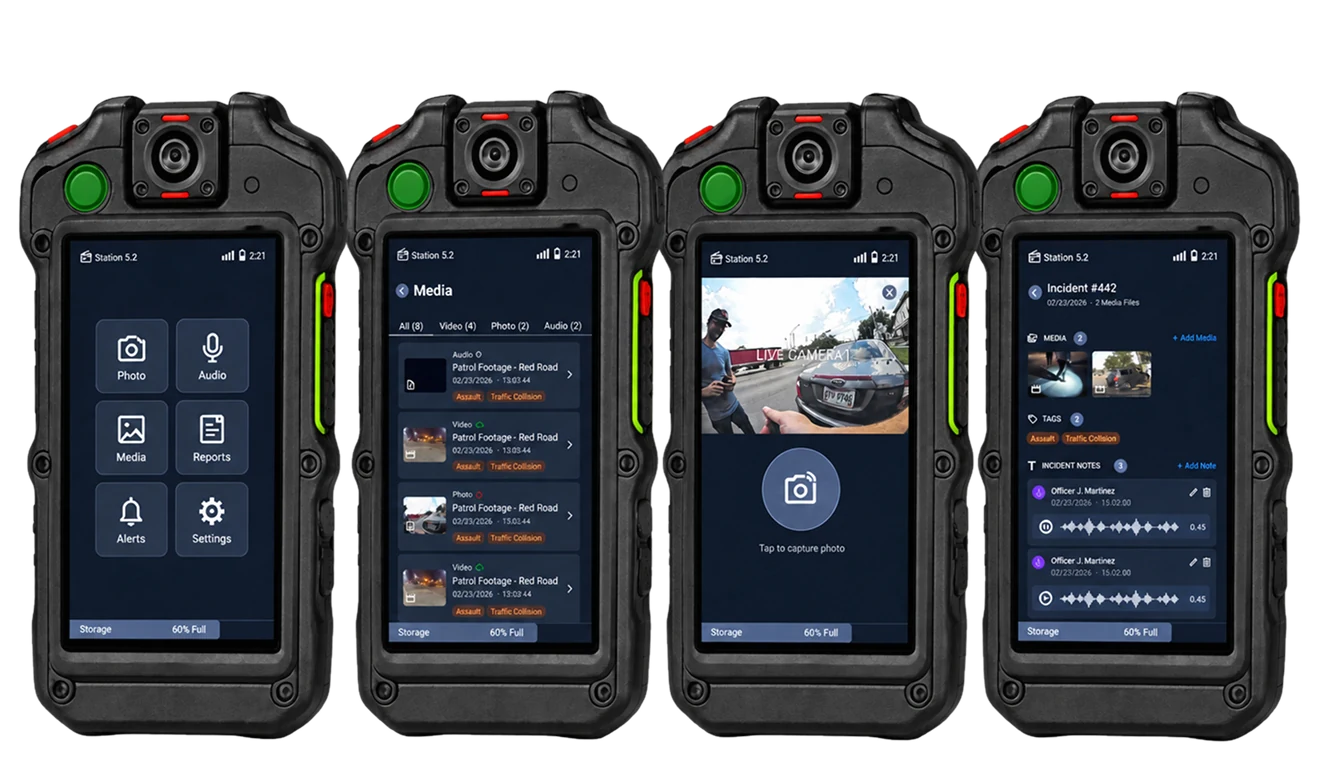
A body-worn camera interface that centralizes recording, documentation, media, and communication.
The outcome
Streamlined Workflows
essential tasks in one interface
Improved usability
refined through user testing
Enhanced functionality
filtering + note management
01 | SOLUTION PREVIEW
One place for incident management and evidence collection.
A body worn camera giving officers quick access to essential tools without disrupting their focus in the field.
02 | CONTEXT
Design Context
Requirement
Capture & manage evidenceOfficers need quick access to video, photo, and audio capture while maintaining accurate metadata and organized incident records.
Usage context
High-pressure environmentsOfficers already face cognitive demands. The interface needed to minimize distractions and make critical actions quickly accessible.
Constraints
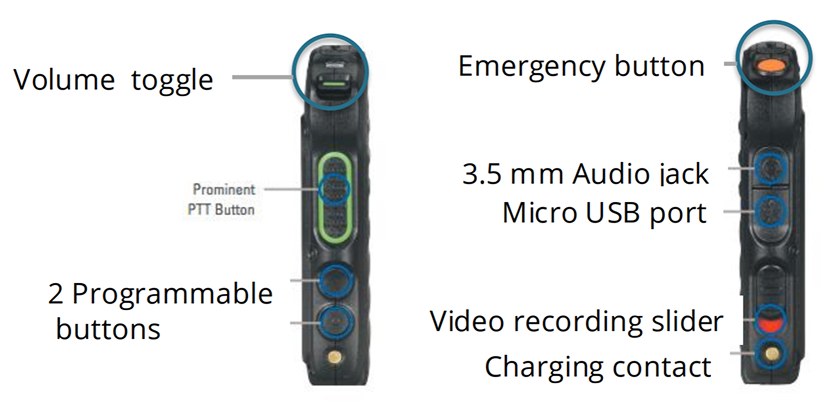
Work within the hardwareA 3.2" touchscreen, physical controls, recording regulations, and unpredictable environments limited how information and actions could be presented
Audience
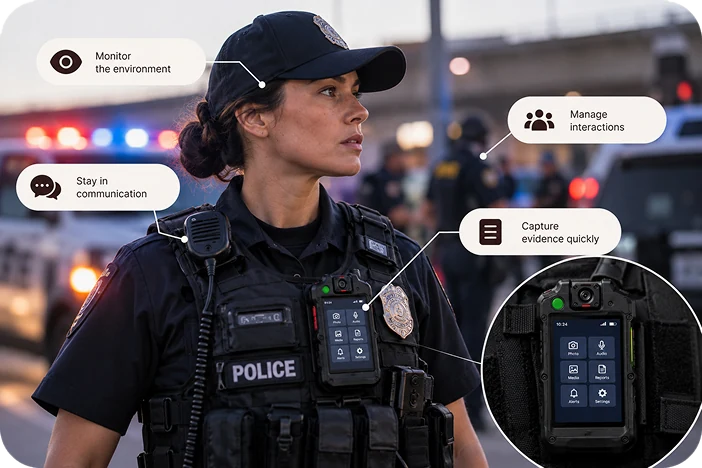
Public safety officer
- Environment
- Fast-moving, unpredictable incidents
- Needs
- Capture evidence quickly and accurately
- Priorities
- Speed · Awareness · Reliability · Minimal distraction
Typical digital product
Multiple steps to complete a task.
Duty Calls
Designed for quick, direct action.
03 | PROBLEM
Officers need to document incidents while simultaneously managing their environment, communication, and safety.
Problems
Design implications
Officer is already monitoring the environment, radio communication, and incident.
Recording and documenting evidence can't require navigating through complicated menus.
Video, photos, audio, notes, and incident information need to remain organized.
04 | PROCESS
Translating Needs Into Features
User need
Quick evidence capture
Capture evidence without navigating complex menus
Design response
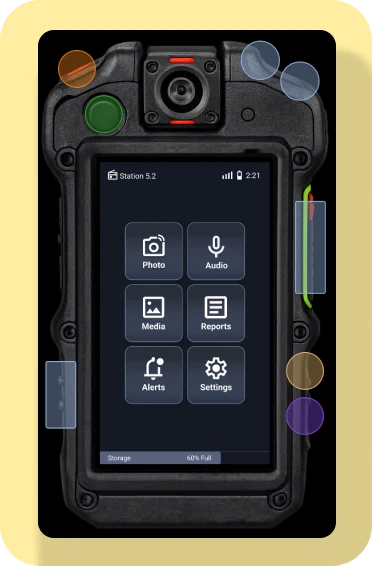
Capture controls
Capture evidence using home or physical controls on device
User need
Reduce navigation
Minimize the number of steps needed to complete critical tasks
Design response
Centralized home
Core functions accessible from one main screen
User need
Keep evidence organized
Easily find and review media from different incidents
Design response
Media library
View, filter and manage all captured media in one place
User need
Document incidents
Add and manage notes and key information without leaving the device
Design response
Notes + metadata
Create, edit, and manage notes, tags, and incident information
User need
Stay Informed
Access alerts and communication while maintaining awareness
Design response
Alerts and Communication
View system alerts and key updates without interrupting primary workflow
Exploring The Interface
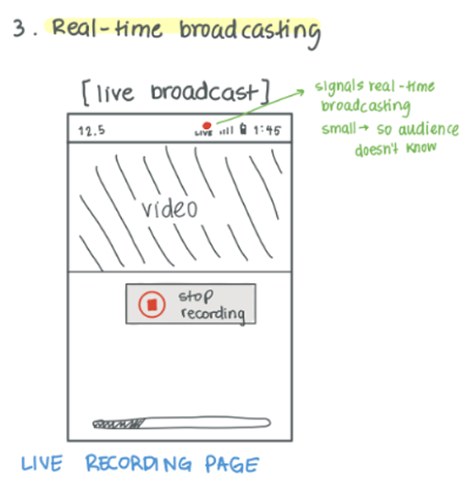
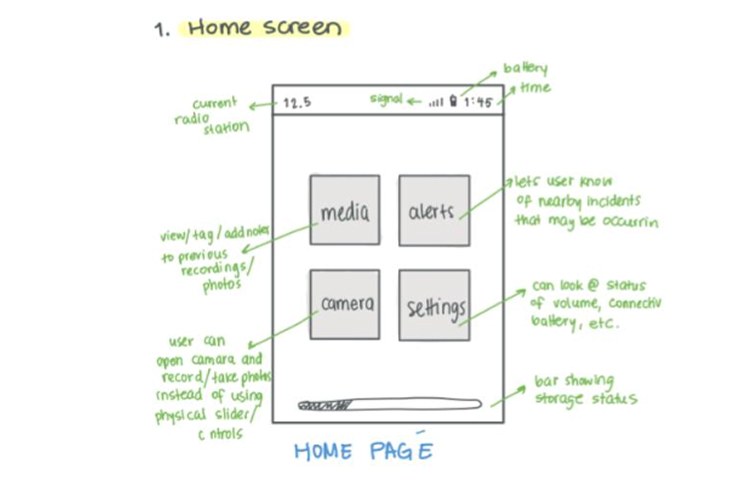
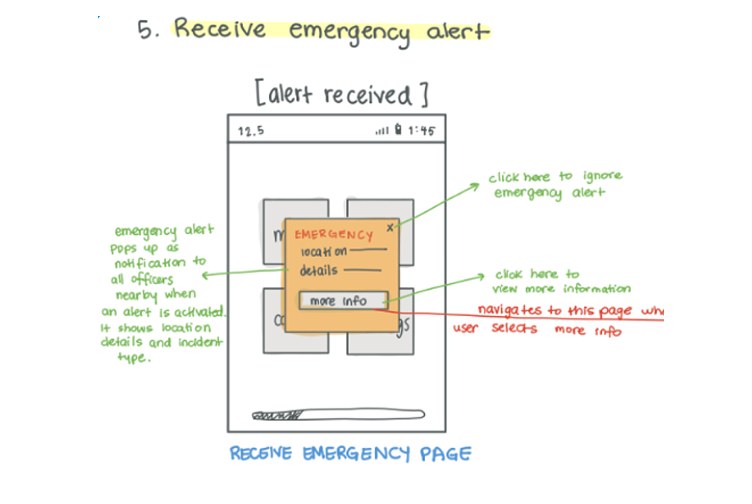
Early sketches explored how critical actions could remain accessible within the device's limited screen space.
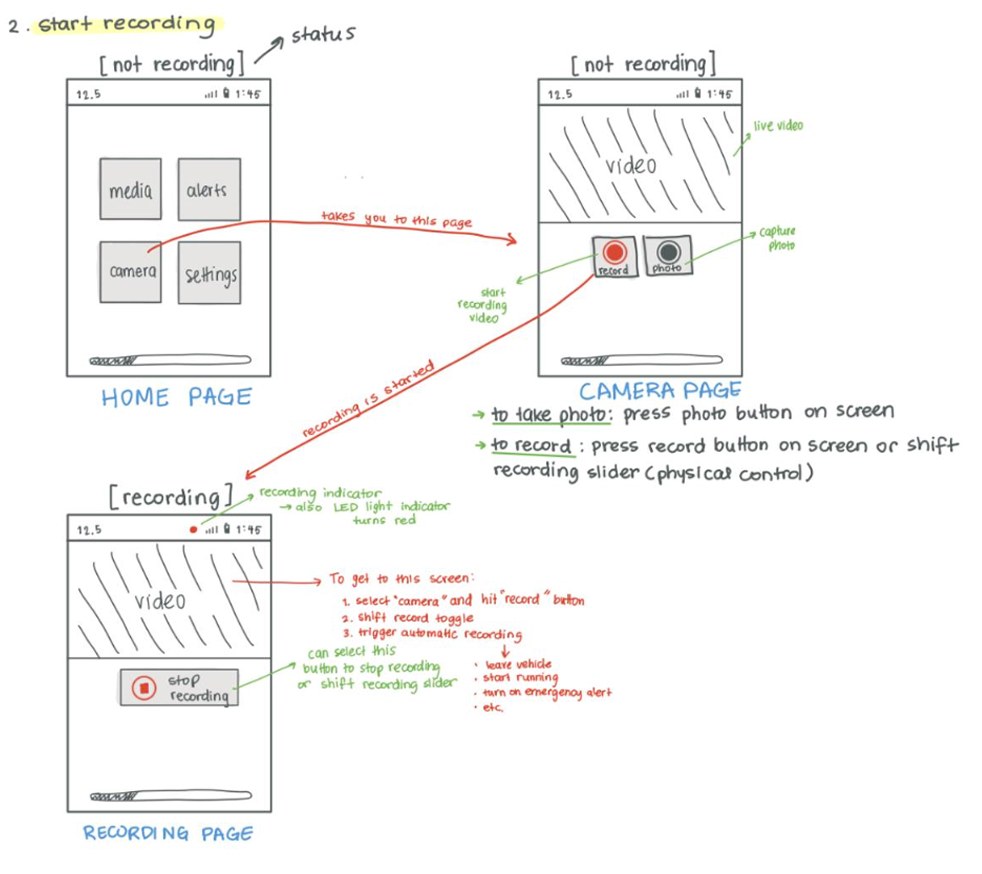
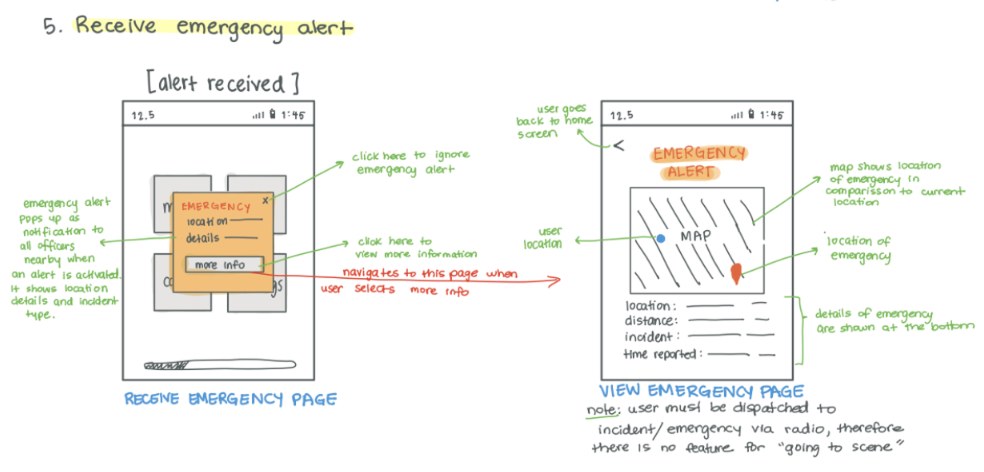
From Sketches to Wireframes
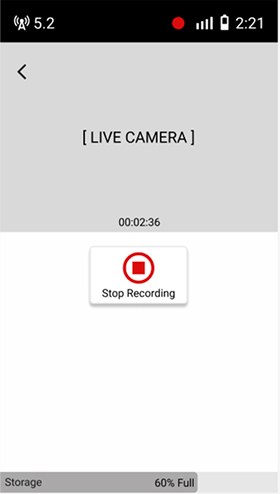
Our First Solution
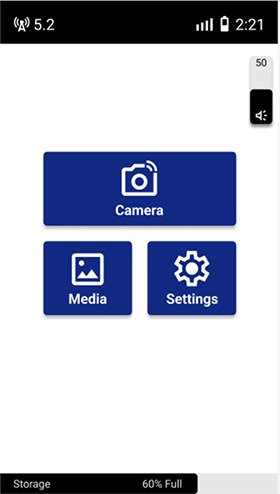
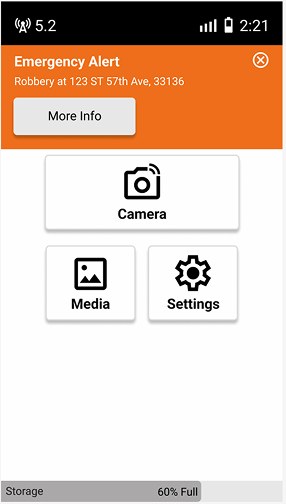
VERSION 1Our first prototype translated the core workflows into a functional interface ready for evaluation. But testing revealed some gaps.
Testing Revealed Gaps
Testing showed that simplifying the interface reduced cognitive load, but simplicity didn't have to mean limiting functionality. We identified opportunities to modernize the experience while maintaining clarity and supporting more complete workflows.
Testing also revealed several functional gaps:
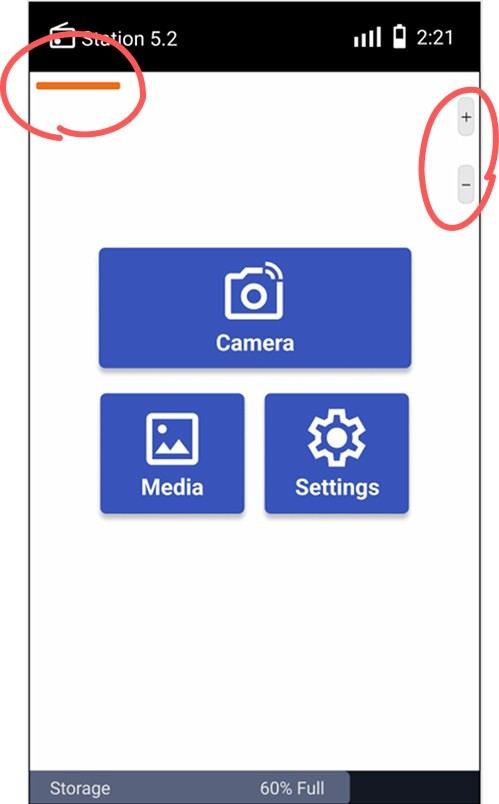
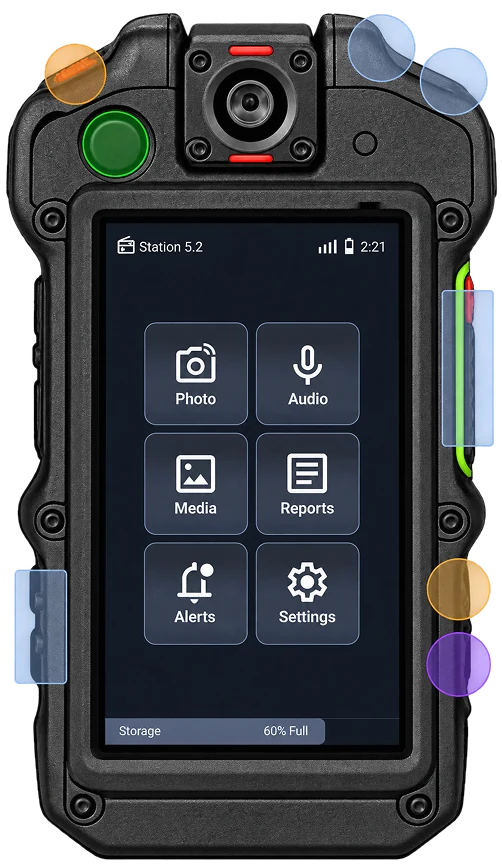
Physical controls weren't fully integrated. Critical actions still relied on on-screen interaction.
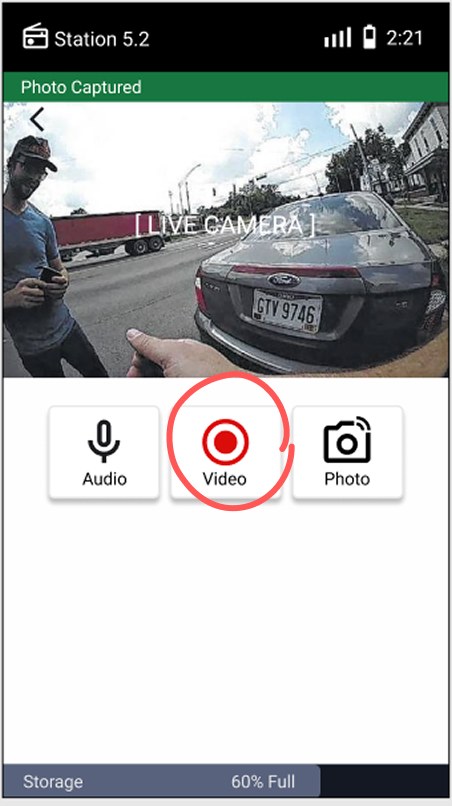
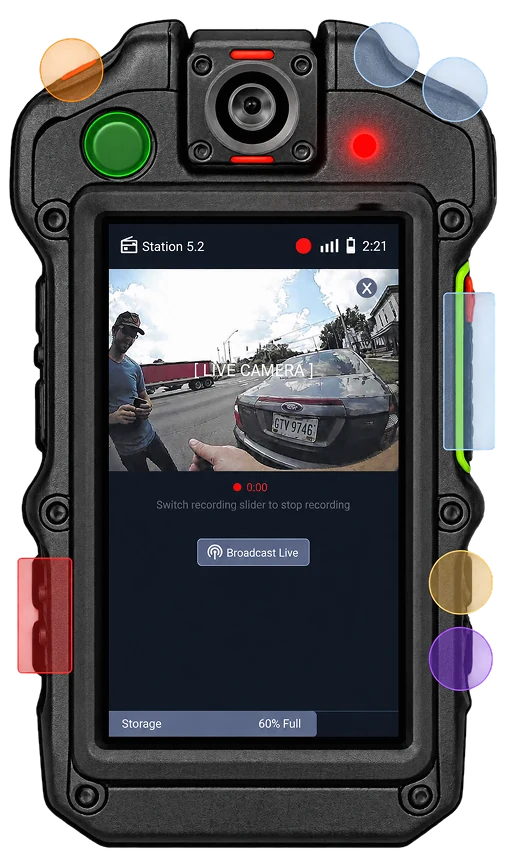
Recording relied on on-screen controls. Recording required unnecessary interaction during high-pressure situations.
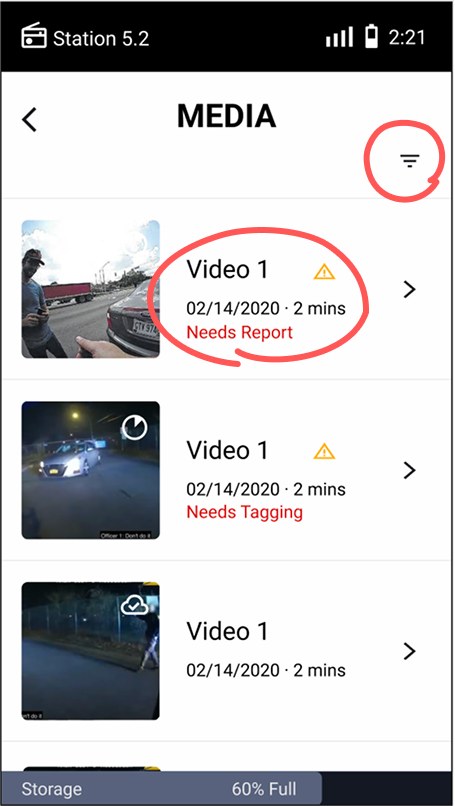
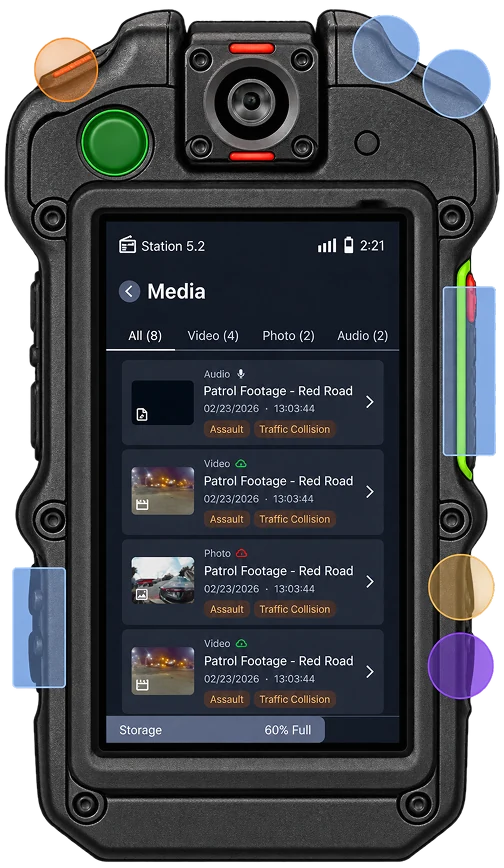
Limited media filtering. Media types weren't clearly identified, making evidence harder to find as files accumulated.
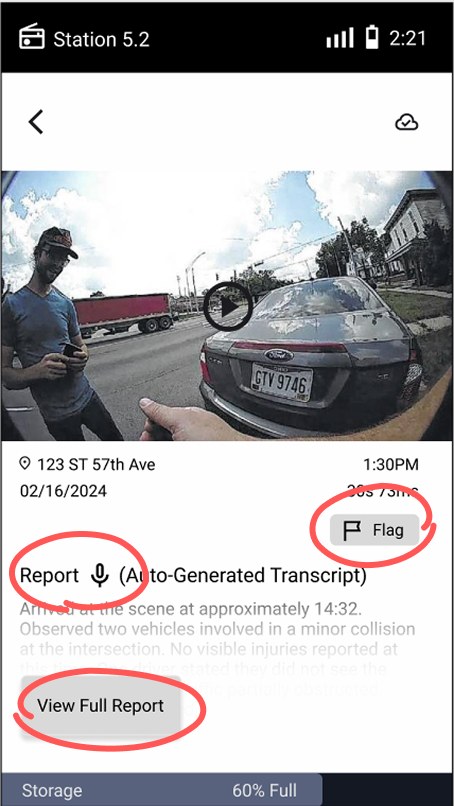
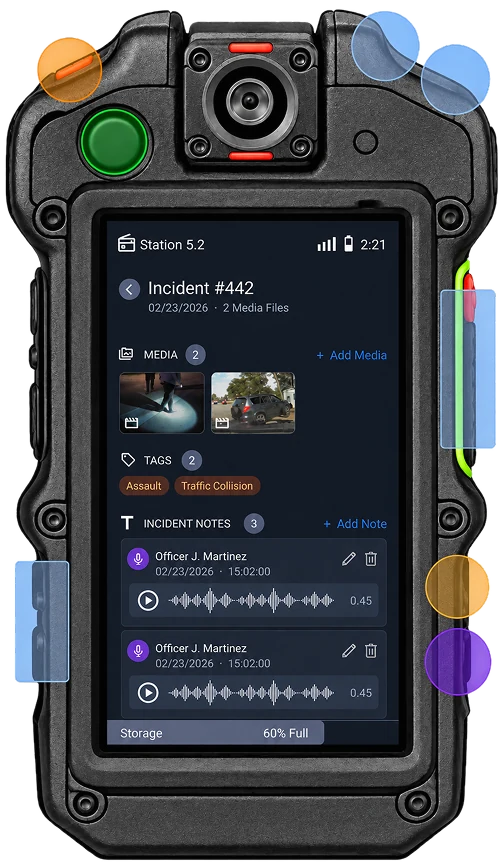
Incomplete note management. Notes and tags couldn't be edited or deleted, and media couldn't be attached to reports.
05 | SOLUTION
Capture
Capture evidence instantly. Record video, photos, and audio directly from the device.
Manage
Keep evidence organized. Review and filter media associated with incidents.
Document
Document critical details. Add notes, metadata, and incident information within the device.
Stay Informed
Access critical information. View alerts and communication without interrupting the workflow.
06 | IMPACT & TAKEAWAYS
Impact
Streamlined
Critical actions surfaced within primary workflows.
Refined
Usability feedback directly informed interface changes.
Expanded
Added filtering and full note-management functionality.
What I Learned
Designing for context changes priorities
An interface that works in a calm environment may not work during an active incident.
Constraints can improve decisions
The small screen and physical controls forced us to prioritize what needed to be accessible.
Testing exposes assumptions
Features that felt intuitive to us weren't always obvious to users.