HOUSING CONNECTOR
The problem
Renters facing housing instability struggle to find a fit, decode applications, and get steady support along the way.
The solution
An AI assistant inside the Renter Hub app that personalizes search, explains applications, and always hands off to a human.
The outcome
~75% helpful
of testers found the experience and features helpful
Engineering handoff
prioritized V1 plan + full component library
12,500+ renters
in the Renter Hub community it’s built to serve
01 | OVERVIEW
A guided assistant that helps renters find, understand, and complete housing applications, without ever replacing the people who support them.
Housing Connector is a tech-for-good nonprofit that works directly with property partners to open up housing for the people who need it most, and has helped more than 12,500 individuals find stable housing. Our brief was deliberately open: how should AI assistance work for people navigating housing instability?
Over one summer, a team of ten (a PM, a design manager and eight designers) researched the space, set rules for how the AI should behave, and designed five connected features for the Renter Hub mobile app.
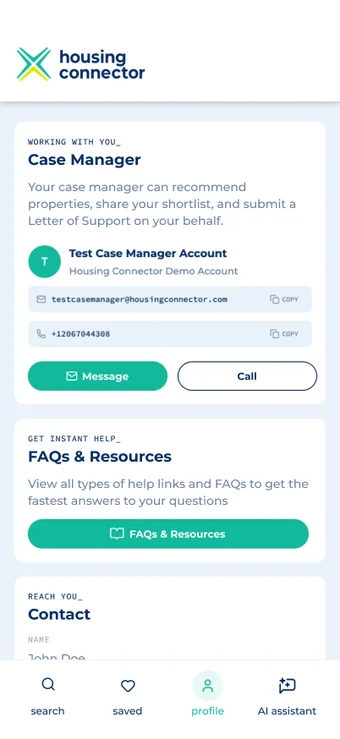
My focusResource & FAQ Center
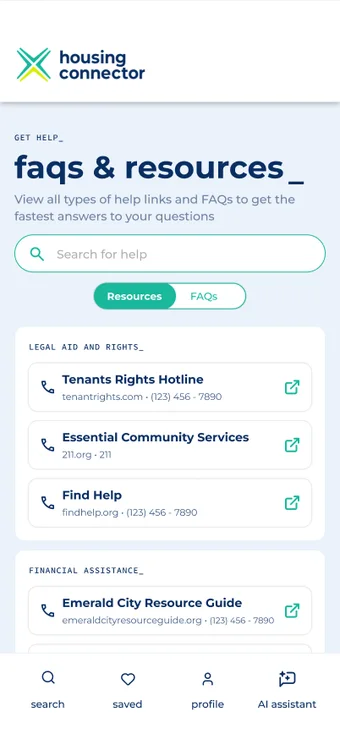
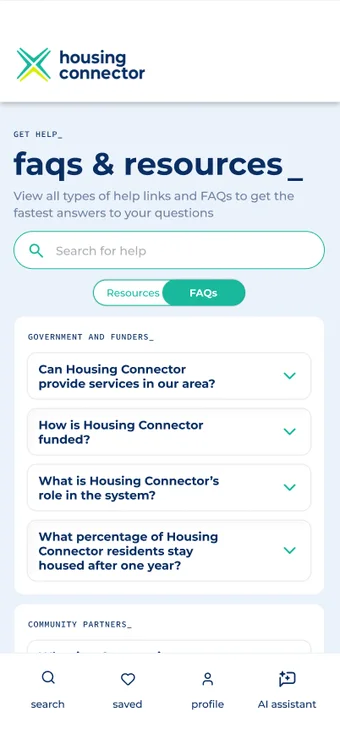
Where I led the design.I designed the Resource & FAQ Center, the place renters land when they need more than the assistant can give: guides, local resources, forms, and quick answers, reachable from the profile and from inside a chat. I also worked with the team on research, the AI guidelines, and testing.
02 | CONTEXT
Design Context
Client
A nonprofit with scaleHousing Connector partners with property managers and case managers so renters with barriers can access housing.
Challenge
Few peers to copyAI help for housing instability has few precedents, so we had to define how it should behave, not just how it looks.
Constraints
Fit what existsIt had to live inside the Renter Hub mobile app, follow Housing Connector’s brand, and be ready for engineers to build.
Who we designed for
Renters
Often in survival modeVaried digital literacy and little time or background in housing paperwork.
Case managers
Stretched thinThe people renters rely on. We interviewed ten to understand where support breaks down.
Housing Connector team
Needs to build itAn engineering and product team who needed a clear, prioritized, buildable V1.
03 | PROBLEM
Housing search is hard to navigate, applications are hard to understand, and help is hard to reach.
“Clients will choose a unit that is 6 miles away and close to a bus route over units 2 miles from their job.”
Complicated language, limited background knowledge, and low digital literacy discourage renters from finishing.
“The best support is equipping renters with knowledge, because many have simply been stuck in survival mode.” Case manager
Case managers expect openness to AI, especially from younger renters, as long as it feels approachable.
How we learned it
Secondary research
SWOT + 6 competitorsPlus 9 resources from Housing Connector, including past UX research.
Interviews
10 case managersWho work with Housing Connector to support renters.
Survey
30+ rentersResponding via a survey posted inside the Renter Hub platform.
User testing
13 tests12 unmoderated and 1 moderated session with renters.
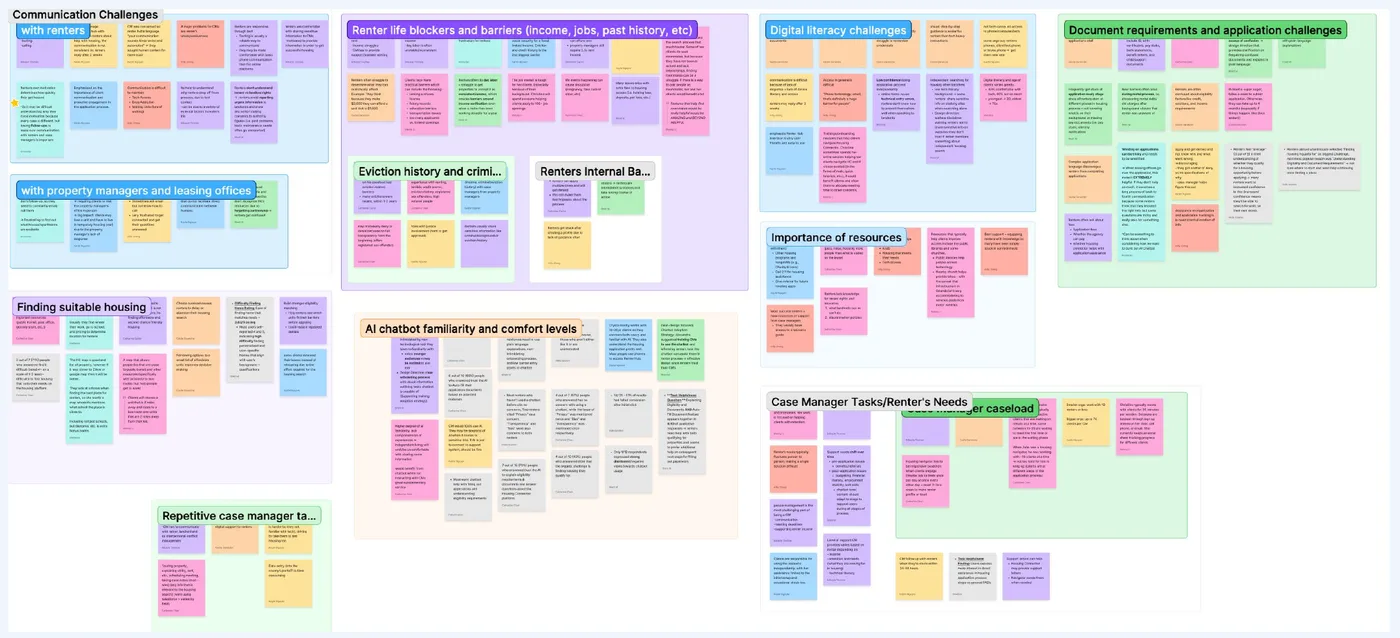
The insight that shaped everything
Renters seem to trust AI, but still want a human available. That became our design principle: the assistant helps, and people decide.
express no concern about using a chatbot for housing support
trust AI to autofill their application from provided materials
have never used a chatbot, yet only 2 of 15 respondents were negative
04 | PROCESS
Setting Rules for the AI First
Before drawing screens, we mapped the product and decided how the assistant should behave. For renters who are already overwhelmed, a confusing or overconfident AI would do harm.
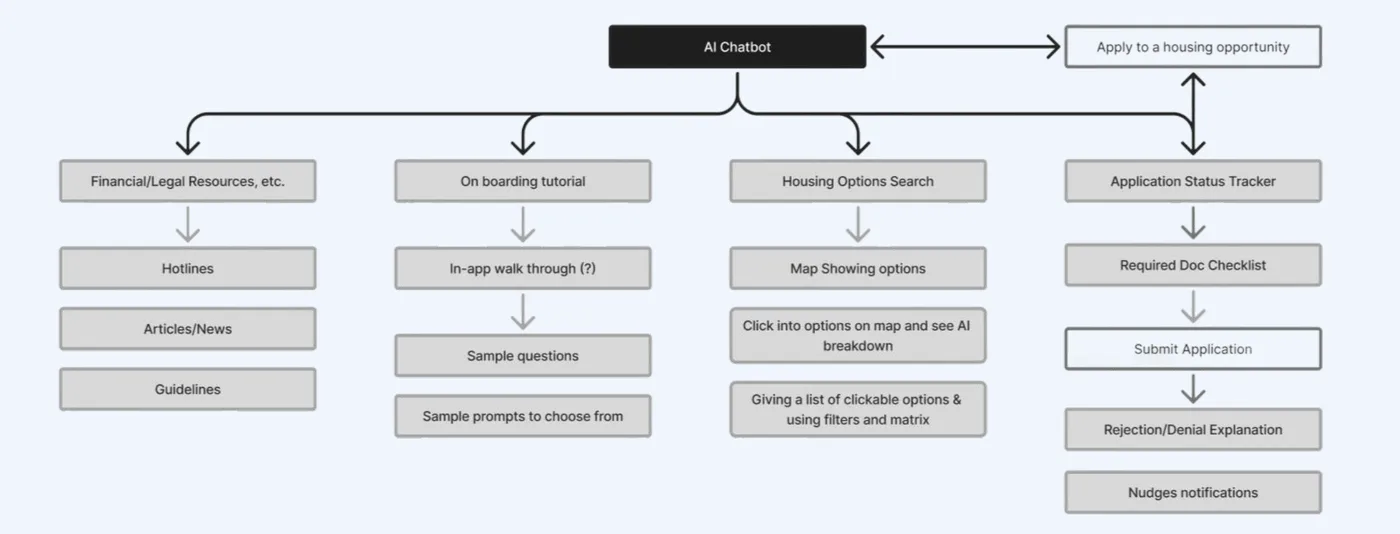
Naming
“AI Assistant”Be transparent it’s AI. No face or human name, and not “agent”, which could be mistaken for a real estate agent.
Icon
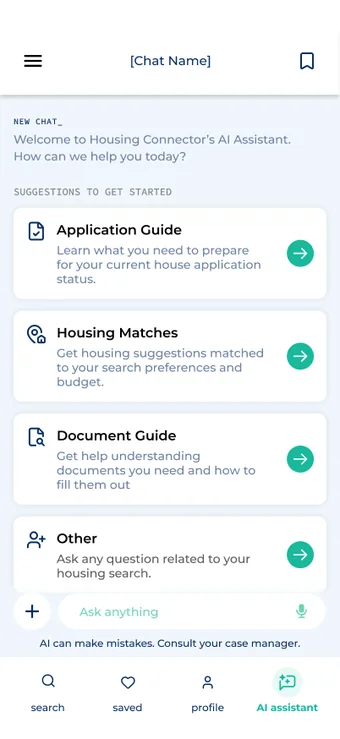
Sparkle + messageA sparkle marks an AI feature and a message icon marks the chat. We avoided abstract imagery.
Tone
Direct and neutralPlain words, no jargon, and clear that it’s an assistant that can’t replace humans.
Do
- Redirect renters to human staff
- Explain and simplify housing terms
- Handle monotonous tasks
- Recommend the next action
- Link users to relevant pages and resources
Don’t
- Predict or guess the cause of a rejection, or the chance of approval
- Communicate with case or property managers without the renter
- Make decisions on behalf of users
- Hallucinate
- Give black-and-white answers to contextual questions
Design parameters
It never acts without consent.It can explain, draft and recommend next steps, and it always points renters back to their case manager for final calls.
From Lo-fi to Mid-fi
We sketched layouts and AI features, evaluated each concept as a team, and kept the ones that best met user needs. In mid-fi we then connected our individual flows into one assistant, adding brand color, typography and interactive prototypes to test the whole journey.
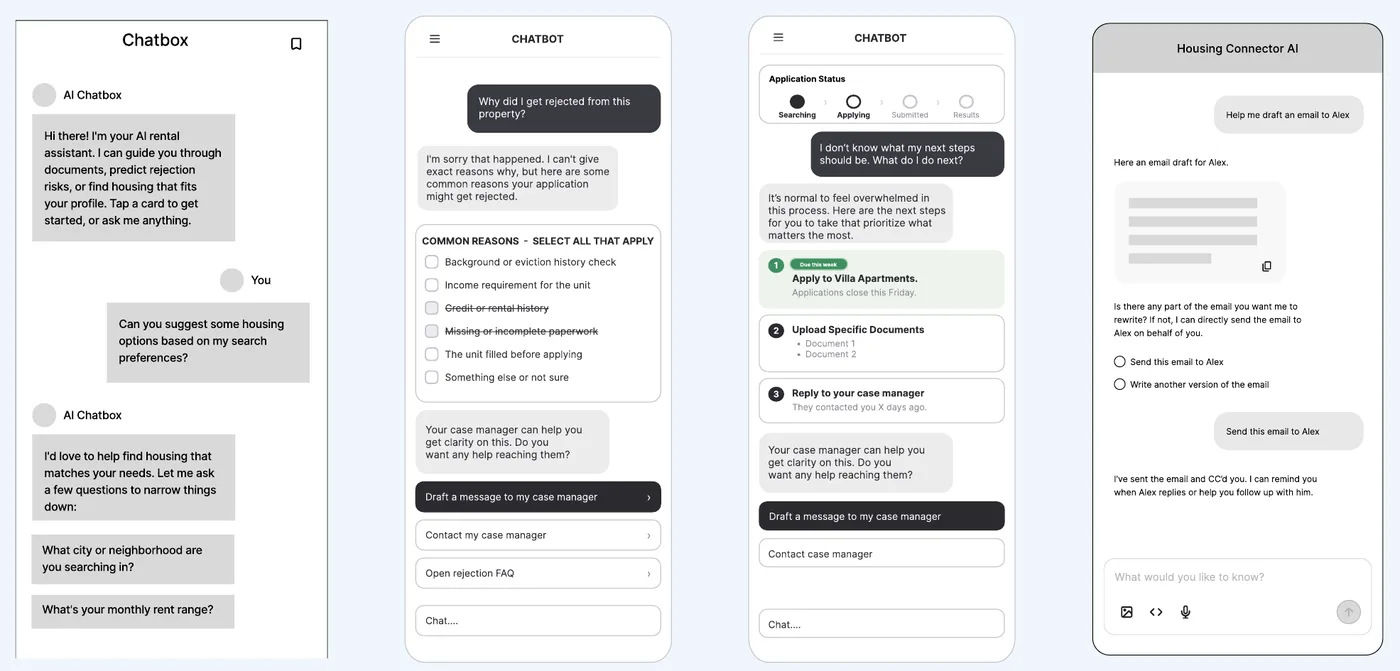
1. Sketch
Explore layouts, chat patterns and AI features.
2. Decide
Evaluate concepts as a team against user needs.
3. Connect
Merge separate flows into one coherent assistant.
4. Test
Prototype, then watch renters use it.
What Testing Told Us
We ran 13 user tests on the interactive prototype. People liked it, but we kept going.
(~85%) said onboarding was helpful
(~71%) found the AI insights helpful
(~64%) would trust the AI insights
(~87%) found application summary and draft message preview helpful
Testing Revealed Gaps
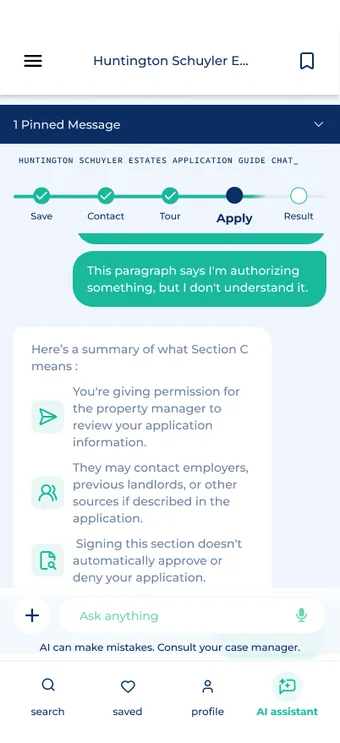
Some interactions were hidden or unclear. Users didn’t know they could pin a message, and the checklist didn’t read as interactive.
“I didn’t know there was a pin message feature.” Unmoderated user 10
Clearer interaction cues so key actions are discoverable.
Language was confusing or vague. “Hamburger menu” was unfamiliar, and “Let’s break down your step” didn’t say which step.
“‘Freeform question’ phrasing could be puzzling to some users.” Unmoderated user 4
Specific, actionable language that names the step and the next action.
Renters wanted richer preferences. Amenities, housing type and accessibility needs all mattered.
“I have a big dog and need a house with a yard.” Moderated user 1
Expanded filters for housing type, amenities, pets and accessibility.
05 | SOLUTION
Five connected features, one assistant.
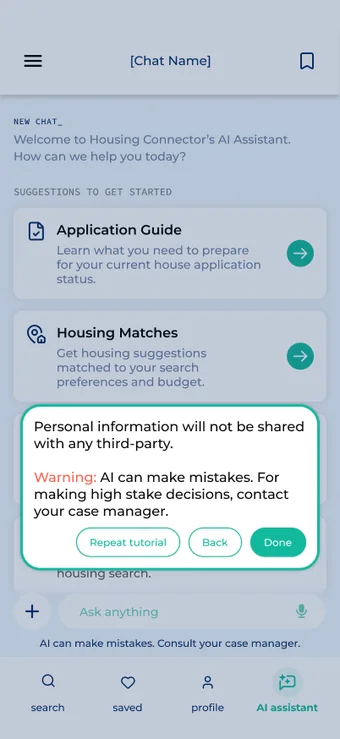
1. Guided Onboarding
Insight
60% had never used a chatbot, but only 2 of 15 were negative.
Design
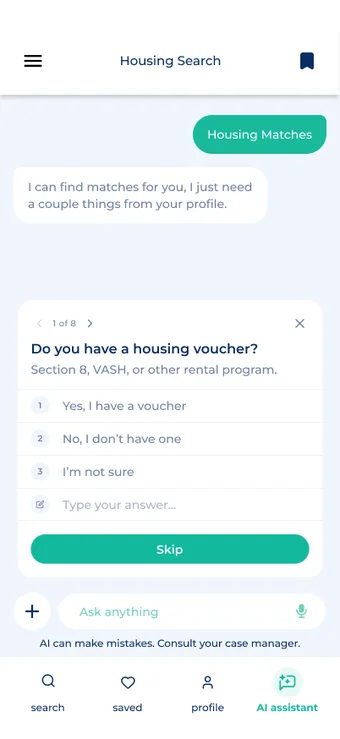
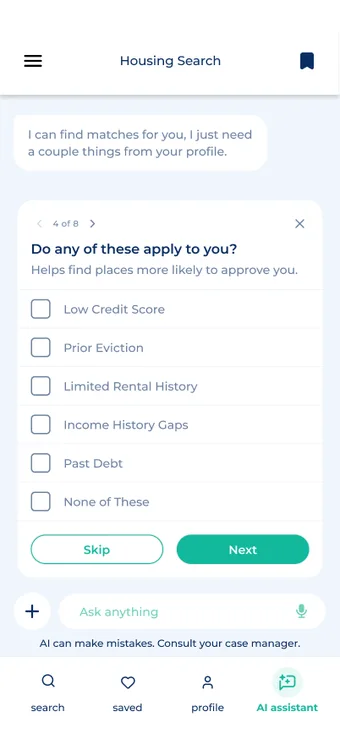
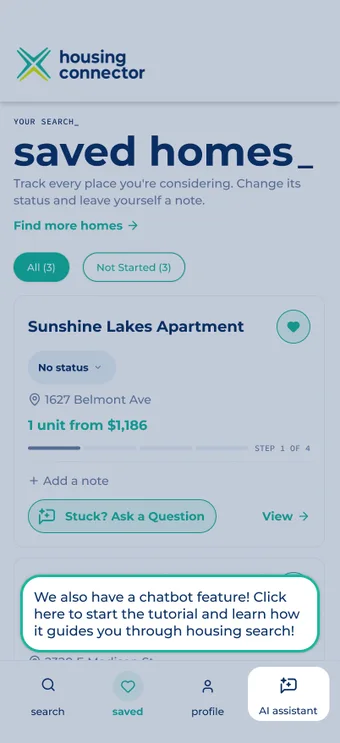
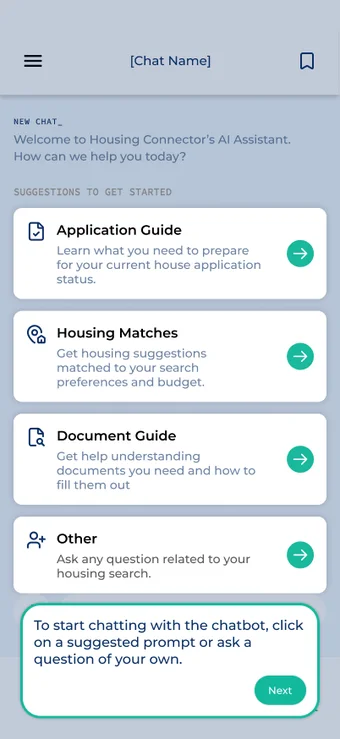
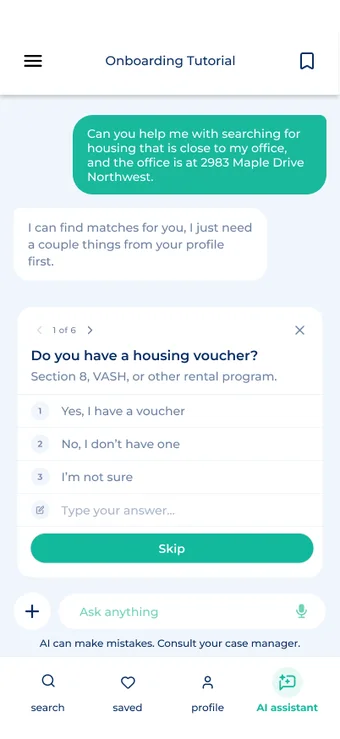
A short, skippable walkthrough introduces suggested prompts, voice input, and what the AI can and can’t do, so renters start with confidence.
2. Personalized Housing Search
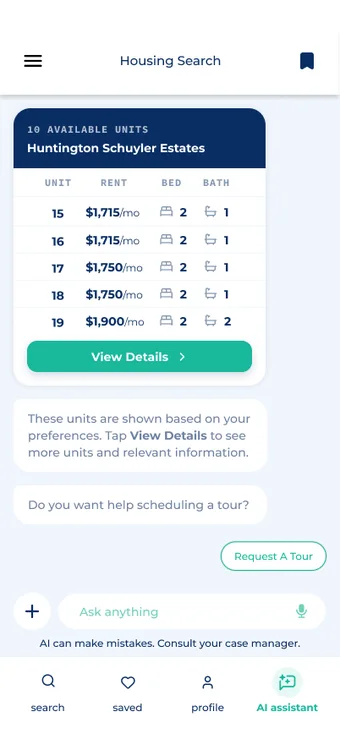
Insight
71% struggle to find housing that fits. Real needs, like commute and pets, rarely fit a filter.
Design
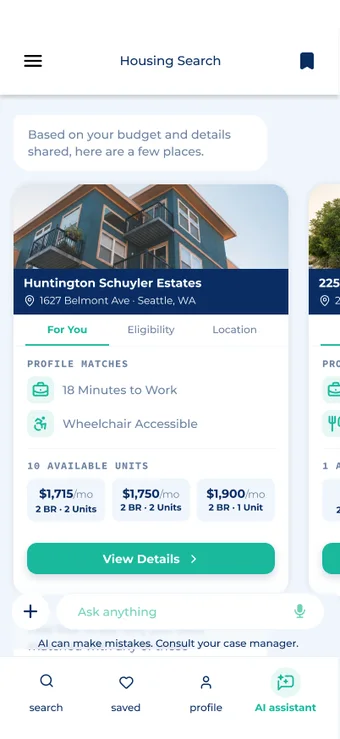
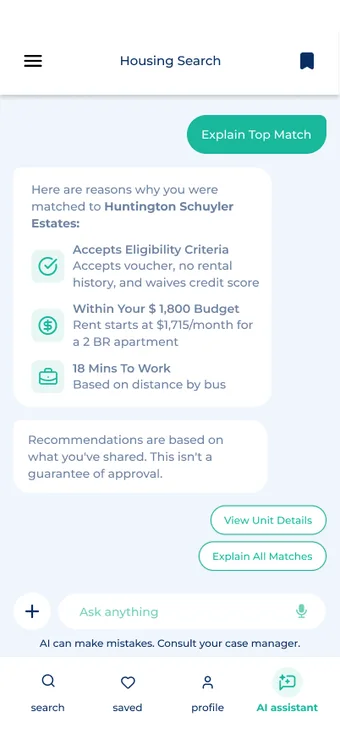
Short questions build a profile. The assistant filters options, recommends what renters may be eligible for, and explains why each property matched.
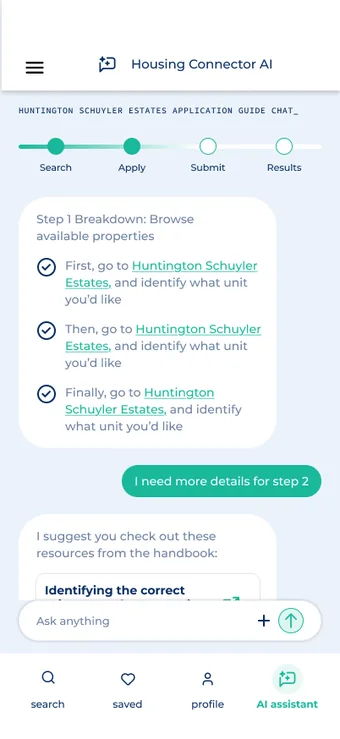
3. Guided Applications
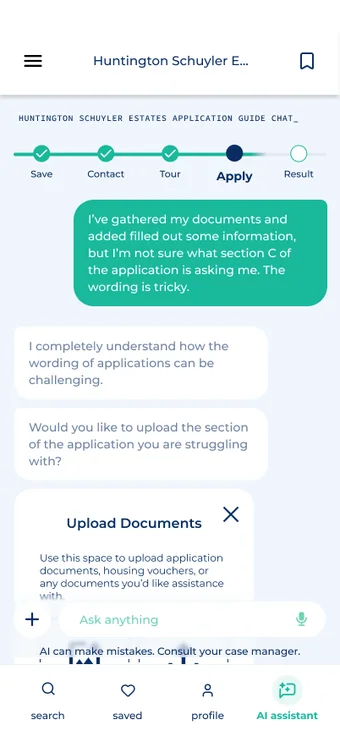
Insight
70% said explaining requirements and documents would help.
Design
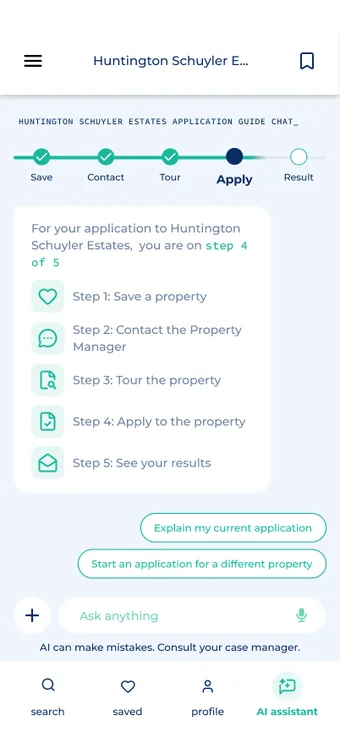
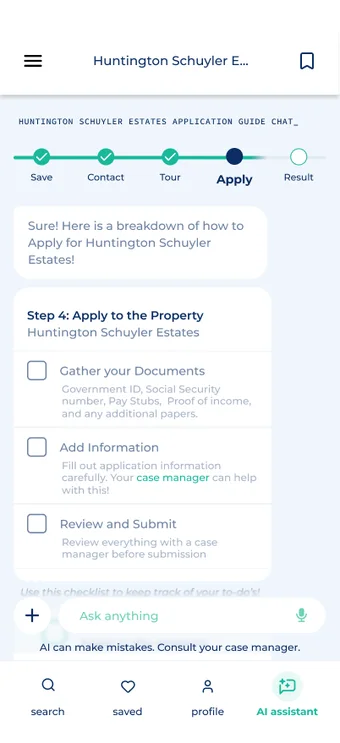
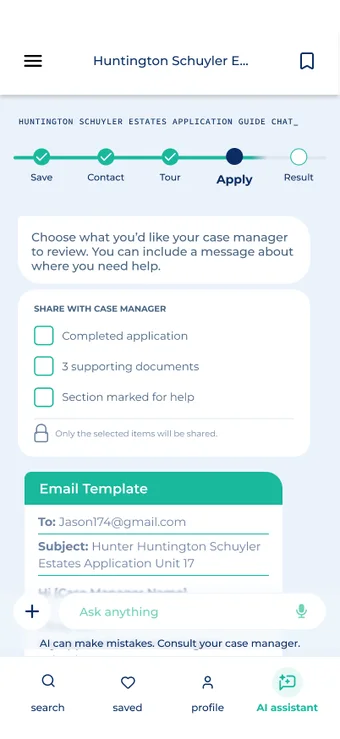
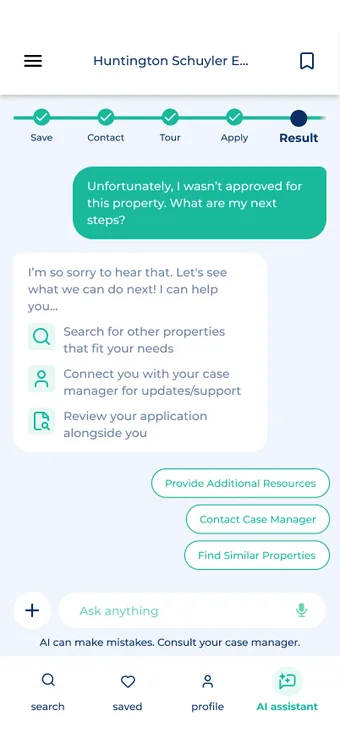
Each application gets its own chat with a step tracker, document checklist, uploads, pinned messages and a plain-language explainer for confusing sections.
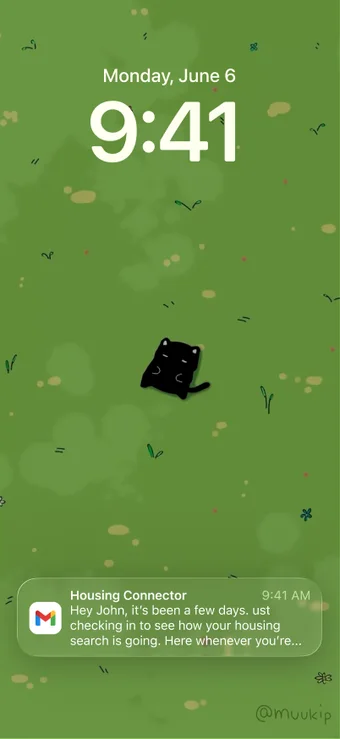
4. Streamlined Communication
Insight
Communication gaps stall applications between renters, property managers and case managers.
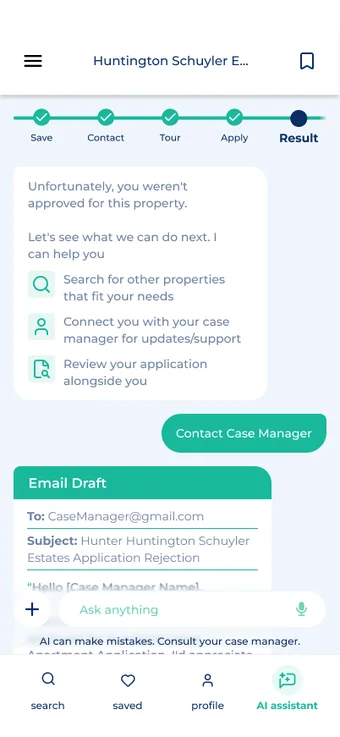
Design
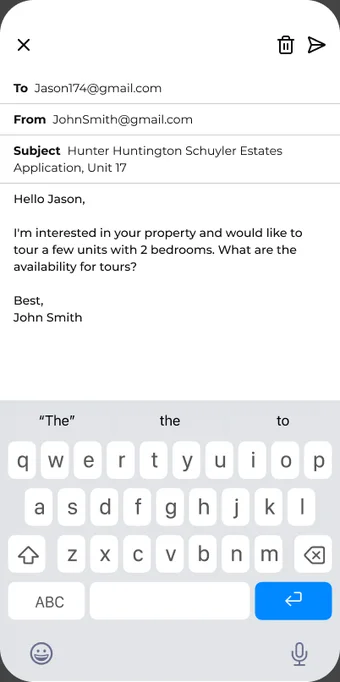
Nudges and drafts. Notifications re-engage renters, and AI drafts emails that renters review and send, so the assistant never acts for them.
5. Resource & FAQ CenterMy focus
Insight
“The best support is equipping renters with knowledge.” Case managers wanted renters to need them less for basic questions.
Design
One searchable hub with a Resources / FAQs toggle, local help grouped by need, and quick answers. It’s reachable from the profile and from inside chats.
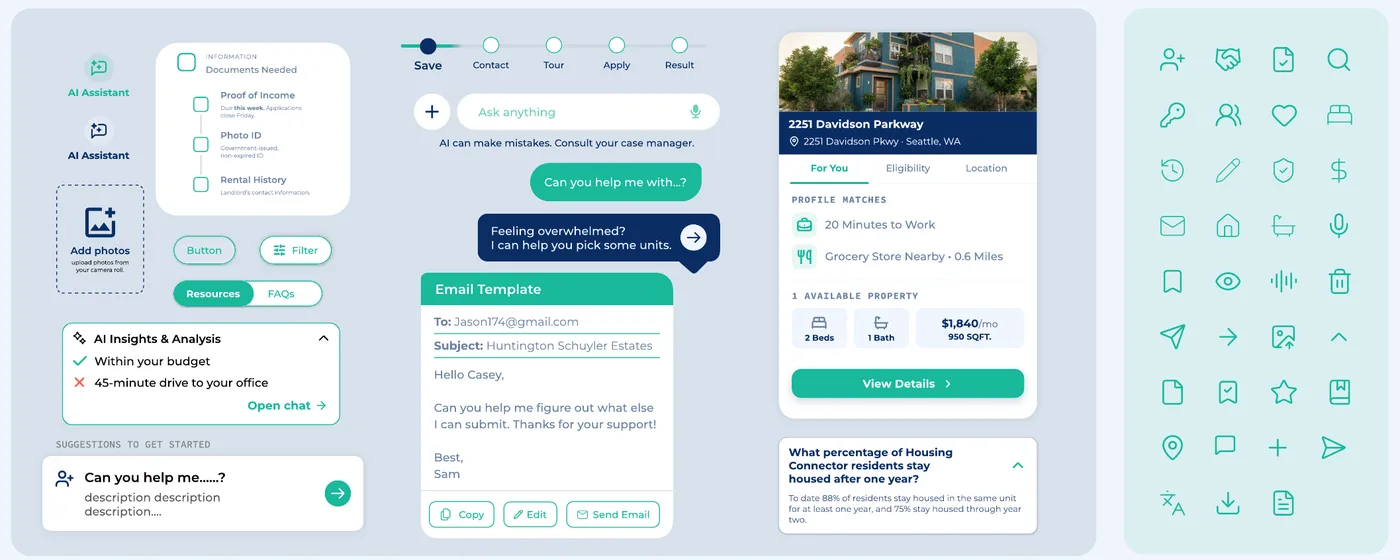
A Design System Built For Handoff
With ten people designing in parallel, we built a component library and style guide on top of Housing Connector’s brand so the five flows feel like one product, and so engineers can build it.
06 | IMPACT & TAKEAWAYS
Impact
Validated
About 75% of participants found the experience and features helpful.
Recognized
Presented at Develop for Good’s Demo Day, with positive feedback from stakeholders including HPE and Bloomberg.
Handed off
Delivered a Figma file, Notion documentation and a prioritized V1 plan to the lead engineer.
These designs are gold! I’m excited to turn our designers’ cohesive vision into reality.Jan Van Bruggen, Lead Engineer, Housing Connector
They helped us understand how transformational the solution they arrived at could be.Doug Minkler, Director of Product & Technology, Housing Connector
What’s Next
Update preferences via questionnaire or AI prompts.
Update status from application metadata.
Surface more personal insights as data allows.
Explore assisted sending while renters stay in control.
Tailor support to each renter’s needs and location.
What I Learned
Trust is the feature
For vulnerable users, consent, transparency and a human handoff mattered more than what the AI could do.
Rules before screens
Setting AI guidelines first kept ten designers aligned and made every later decision easier.
Words are design
Testing showed small wording choices, like “hamburger menu,” decided whether a feature was found at all.